

Yango Pixel is a part of the advertisment solution provided by Yango Ads Space (service).
And used only for launching and optimising performance of the service.To start working with Pixel, create a tag — a code snippet embedded in web page content via Yango Ads Space interface.
Users interact with the webpages of a site where the tag is installed. The tag code is executed and it transmits data to Yango Ads Space about the page itself and the events that occurred when the user interacted with it.
Collecting and transmitting data
The code snippet consists of two parts: JavaScript code in the script element, and HTML code in the noscript element.
If the page is loaded by a browser, the standard behavior is as follows. If the browser supports execution of JavaScript code and execution is not blocked by browser settings or add-ons, the JavaScript code in the script element runs. Otherwise, the content of the noscript element is processed.
If the page is loaded by something other than a browser (for example, a robot), the interpretation of the tag code may be arbitrary.
When the tag's JavaScript code isn't executed, only a limited amount of information can be collected. The Yango Pixel extracts session information from HTTP request headers to download an image. The link to the image is inside the noscript element. The information that can be extracted from HTTP request headers includes the user's anonymized IP address, the URL of the page containing the image, browser and OS information, cookie data, and the absence of JavaScript support (based on the noscript element).
When the tag's JavaScript code is executed, much more information is available. The JavaScript code has access to information about the HTML page title, the URL of the traffic source, parameters of the screen and the browser window, browser plug-ins and extensions (Java, Silverlight, Flash), and so on. In many cases it is most significant that the JavaScript code can track events that occur while the user is interacting with the page. In addition, the JavaScript code measures page loading parameters (such as rendering time).
Yango Pixel is compatibe with Yandex Metrica analytics tool. The data collected by Pixel can be shared to Yandex metrica afrer client accepts Yandex Metrica Terms of Use in Yango Ads Space user interface.
Quotas
To ensure maximum service availability, Yango Pixel imposes limitations on the number of data requests from users (quotas).
Campaign performance based on data from Pixel can be found in Yango Ads Space UI.
A quota may also be exceeded due to browser add-ons or malware activity. In this case, we recommend disabling your browser add-ons and checking your OS for viruses.
Processing and storing data
Statistical objects are formed in the tag's storage based on this data. The incoming data is processed on a continuous basis and usually becomes available within 10–15 minutes after a respective event has occurred. But in some cases, this processing may take longer.
Yango Pixel works with several data levels and operates with the following types of statistical objects:
A statistical object is defined by a set of attributes.
Some of the attributes are shared by all types of statistical objects. Some attributes are specific to certain types of statistical objects. For example, a defining pageview attribute is the page URL of the click, a session attribute is the session length, and a user attribute is the date of the user's first session.
These levels can be represented in a diagram:
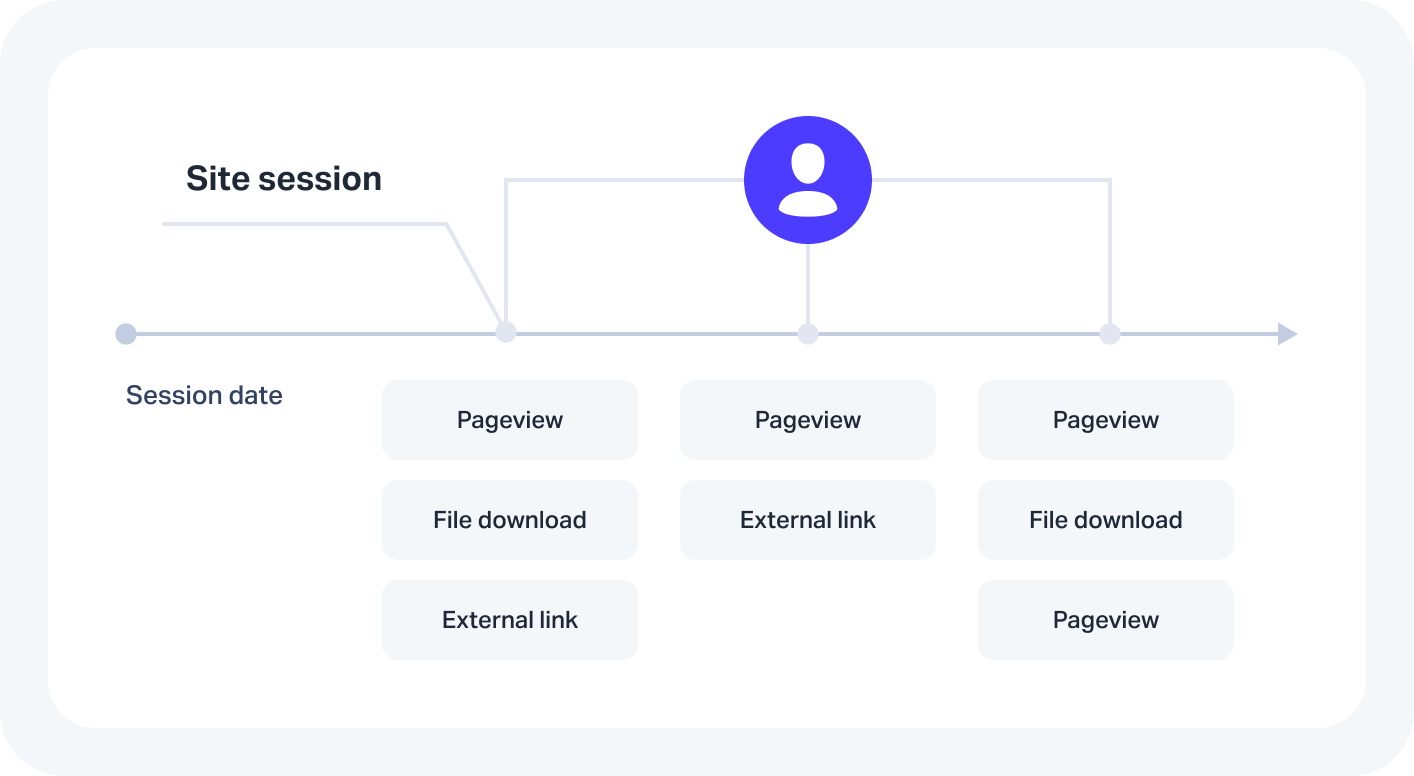
However, it is important to differentiate between session or pageview parameters and user parameters. User parameters differ from session or pageview parameters in that they aren't tied to a specific time of the site session.
Receiving data. Metrics
Each object is defined by the start time of the corresponding event (or sequence of events).
Then we can use attribute values to calculate a variety of absolute or average numbers. These numbers are called metrics. Examples are the overall number of pageviews, or the number of sessions with a depth greater than 5. Metrics are always calculated for the same type of statistical objects.