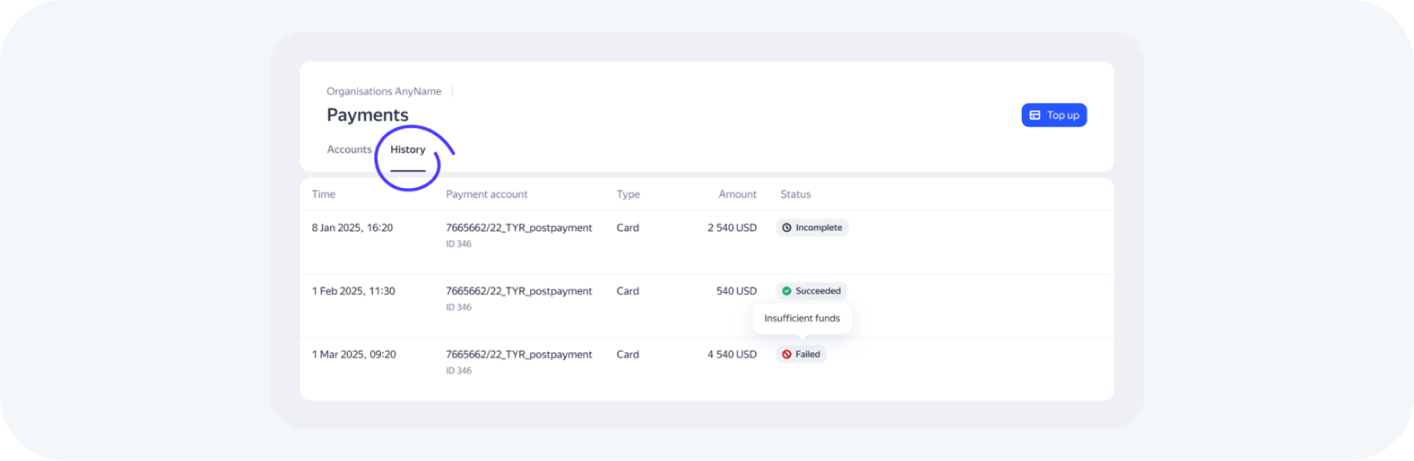
1. Login to the interface: space.yango.com.
2. If you are an Agency or an organization with multiple Advertisers, select the Advertiser that you want to pay for.
3. Click on "Payments" in the left menu.
4. Click on the "Top up" button in the upper right corner.
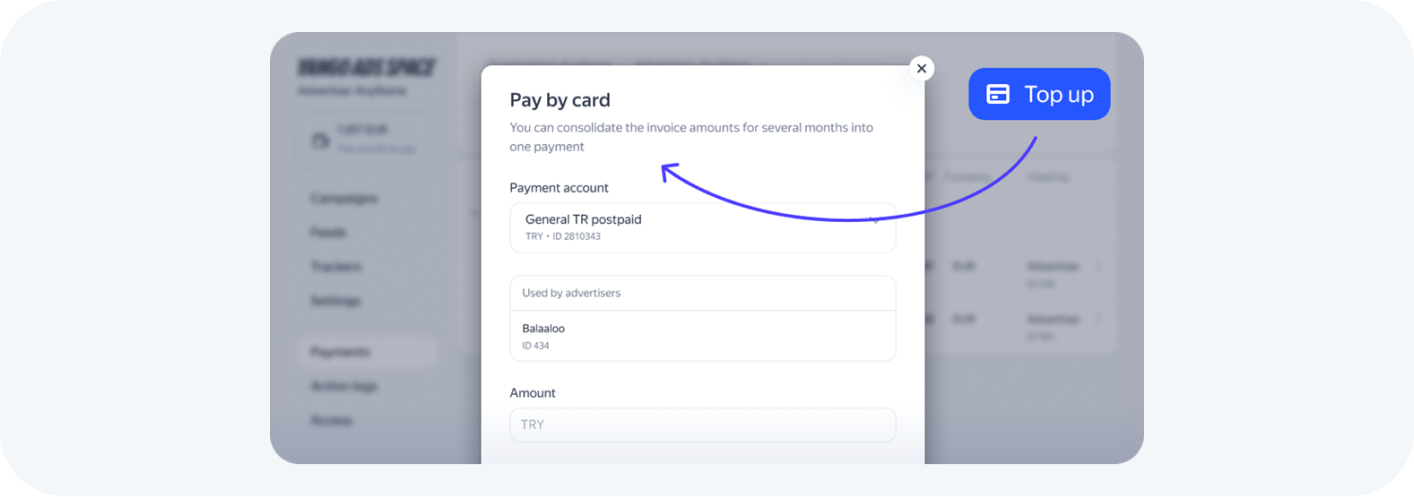
5. In the popup window, select the correct payment account.
6. Enter the amount you want to pay in the payment account currency or select "Use debt amount" to pay the full amount owed.
7. You will be redirected to payment provider page.
8. After completing the payment, you will be redirected back to the Payments page
9. In the History tab, you can check the status of all your payments.